Train your team the same way, every time
Turn onboarding, training and safety procedures into simple step-by-step checklists. Keep track of everyone’s certificates, and see what’s about to expire before it becomes a problem.
- Step-by-step checklists anyone can follow
- Every certificate and expiry date in one place
- Proof of who did what, and when
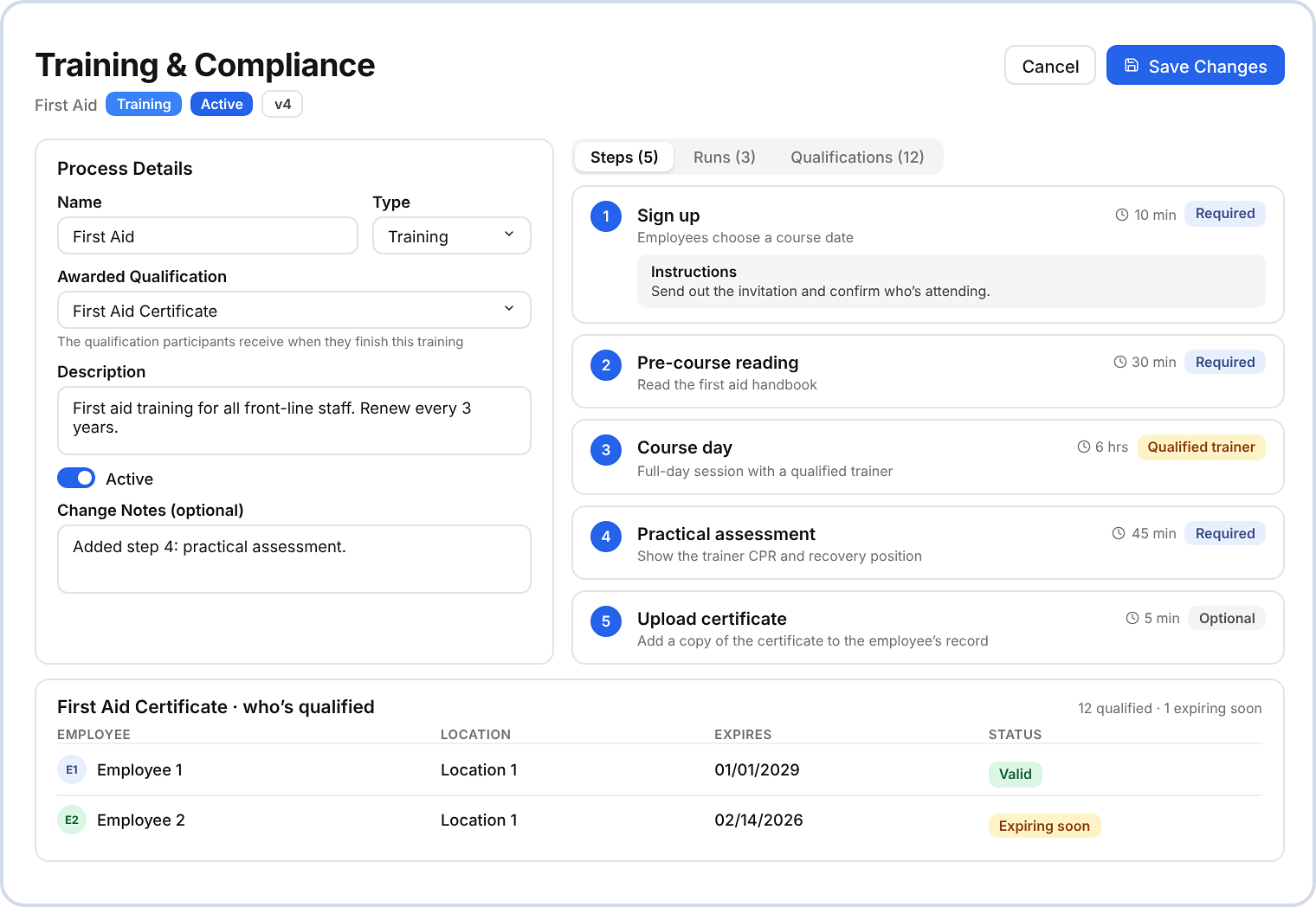

“Has everyone done their first aid training?”
If answering that means digging through a filing cabinet, a shared drive and three spreadsheets, you’re not alone. New starters get trained differently depending on who’s showing them. Certificates expire without anyone noticing. And when an inspector or auditor asks for proof, it’s a scramble.
Clirp gives you one place to run your training and keep your records, so you always know who’s trained, who isn’t, and what’s coming up.
Everyone knows what’s next, and when
- Put it on the calendar. Schedule a training session or checklist, with a due date and the people taking part.
- Trainer and trainee. Name who’s running it and who it’s for.
- Tick as you go. Mark each step as done or skipped, and leave a note if something needs explaining.
- For each location. Run checklists for a particular location, so each site does what it needs to.
Every site, up to standard
Different locations often need different qualifications. Set what each location requires, like a food safety certificate for the kitchen or a forklift licence for the warehouse. Then keep track of whether each site has the qualified people it needs.
Change the process without losing the history
Procedures change. When you update a checklist, Clirp saves it as a new version. Anyone already part-way through carries on with the version they started, and you can always look back at what someone was trained on.
Describe it. Clirp builds it
Tell Clirp’s built-in AI agent what you need in plain English. It creates the checklist, steps and qualifications for you to check before anything is saved.
Also works with Forms & Documents to collect signed policies and paperwork from new starters.
Try asking
“Create an onboarding checklist for new front-desk staff.”
“Make first aid a required qualification at the downtown location.”
“Schedule forklift training for Jamie next Tuesday.”
Questions? We’ve got answers
Anything you do the same way more than once: onboarding new starters, offboarding leavers, training, opening and closing procedures, and safety checks.
Yes. Add a copy of each certificate to the person’s record, along with its expiry date.
Clirp keeps every expiry date in one place, and your compliance overview shows what’s coming up.
Clirp saves the change as a new version. Anyone already part-way through finishes the version they started, and the old version stays on record.
Yes. Set the qualifications each location needs, and run checklists for a particular location.
No. You can build checklists by clicking through simple screens, or describe what you need to Clirp’s AI agent and let it set things up for you to check.
Ready when the auditor calls
See how Clirp keeps your training consistent and your records up to date.