Get the work done. Get paid for all of it
Plan your projects, keep your team on track, and track time as you go. At the end of the month, you’ll know exactly what to bill.
- Every project and task in one place
- Timers that are easy to start and hard to forget
- Billing reports ready when you need them
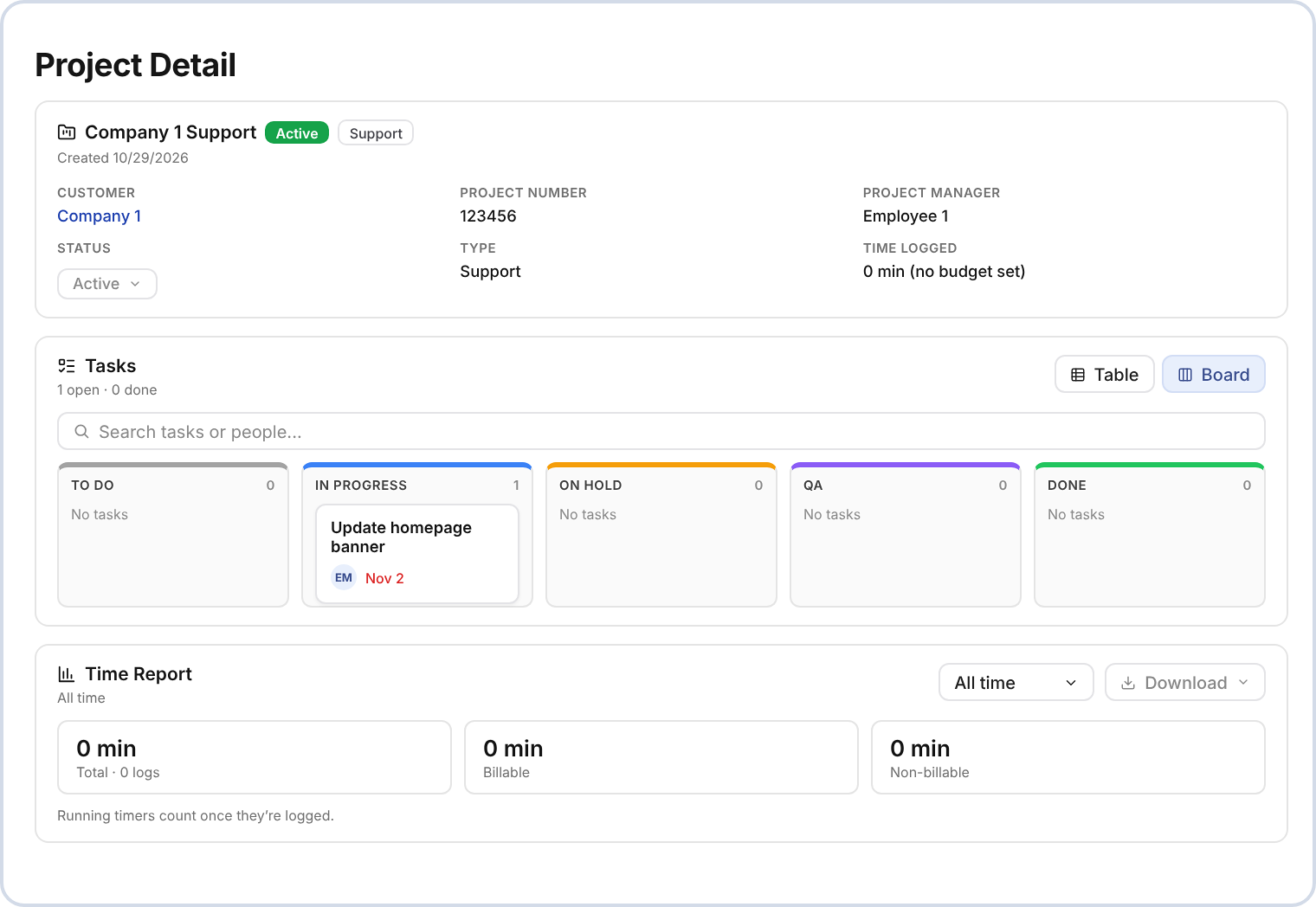

Where did all those hours go?
You worked a full week, but when it’s time to send the invoice, half the hours are missing. Someone forgot to write their time down. A task was completed, but the list wasn’t updated. The client asks for an update, and you have to chase people down to find out where things stand.
Clirp keeps your projects, tasks and time in one place. Everyone can see what’s happening, and every hour gets counted.
Everyone knows what to do next
- Board or list. Drag tasks across a board as they move along, or see them all in a simple list.
- Share the work. Put more than one person on a task when it takes a team.
- Plan ahead. Add due dates and a time estimate to each task.
- Billable or not. Mark which tasks you’ll charge the client for.
See what everyone did today
Managers receive a daily log of their team’s hours. They can quickly review it and email each person their individual daily summary. It gives managers a clear picture of where time is going, what’s getting done, and how the team is spending its day.
No more “Can you send me that again?”
- Talk it through on the project. Leave notes on a project or a single task, with formatting, photos and files.
- Control who sees it. Choose who on your team can see each project.
Questions? We’ve got answers
We’ve made it as easy as we can. Start a timer with one click, keep it in a small window on screen, and pick the task later if you’re in a hurry. If someone forgets, they can add their time by hand.
Yes. Mark any task or time entry as billable or not, and your reports keep them separate.
Yes. Download a monthly work log in Excel to send with your invoice, or export any time report as a spreadsheet file.
Yes, in hours. Set how many hours a project should take and see how many are left.
Yes. Turn an accepted quote into a project with one click, and each line becomes a task. See how quoting works.
Yes. Every project belongs to a customer, so Projects works together with Clirp’s CRM. Both switch on together.
Stop losing billable hours
See how Clirp keeps your projects on track and makes sure every hour is counted.