Paperwork, without the paper
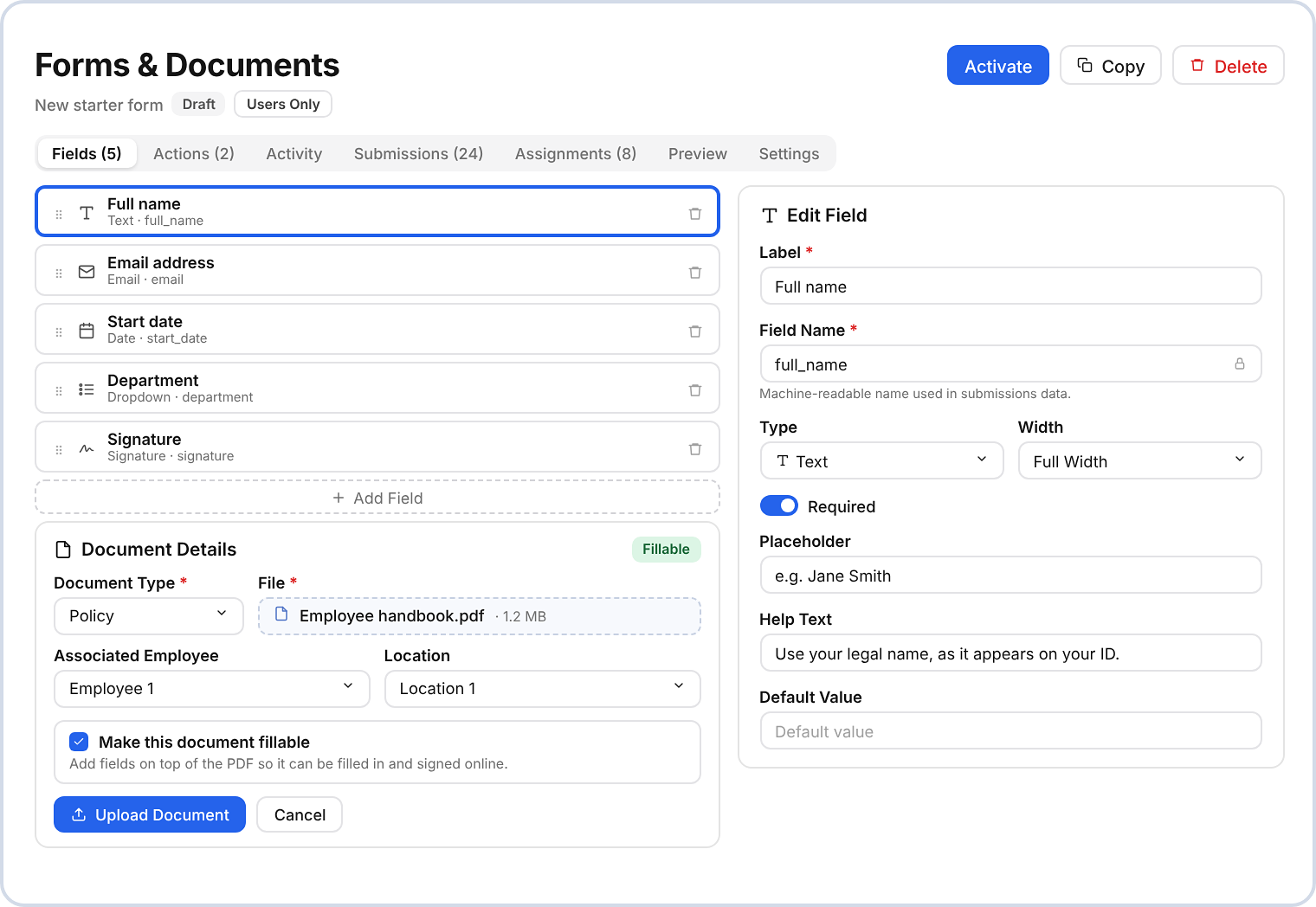
Build online forms, send documents to be filled in and signed, and keep everything in one place. Clirp even chases people who haven’t finished.
- Forms you can build in minutes and put on your website
- PDFs your staff and customers can fill in and sign online
- Answers that go straight into your records

Print, sign, scan, email, repeat
A new starter needs six forms filled in. A customer needs to sign an agreement. Someone has to print them, hand them out, chase them, scan them back in and type the details into the system. Then file the paper somewhere safe.
With Clirp, it all happens online. People fill in and sign from any device, the answers land where they belong, and you can see at a glance who’s still outstanding.
Know who’s filled in the form and who hasn’t
Send a form or document to your staff, or to anyone with an email address. Give it a due date, and Clirp sends a reminder when a form is overdue. Need a nudge sooner? Resend any form or document in one click.
Turn any PDF into something people can sign
Upload a PDF, like a contract, policy or consent form, and add boxes where people need to fill things in. Add text boxes, signature boxes, date boxes and checkboxes. People open it on their phone or computer, fill it in and sign with their finger or mouse. Clirp saves the finished PDF for you.
Find any document in seconds
- Organised your way. Sort documents into folders and types, like Policies, Contracts or Certificates.
- Open without downloading. View PDFs, Word documents, photos and videos right in your browser.
- Templates on hand. Keep the latest blank version of each document type ready to download.
- For every employee. Each person has their own documents section, and staff see everything they’ve been sent in one list.
Describe the form. Clirp makes it
Tell Clirp’s built-in AI agent what you need in plain English. It builds the form, the questions and what should happen next, ready for you to check.
Try asking
“Make a new-starter form that asks for their address, bank details and emergency contact.”
“When someone fills in the enquiry form, add them as a new customer.”
“Add a ‘How did we do?’ question to the feedback form.”
Questions? We’ve got answers
Yes. Add any public form to your own website and style it to match.
No. You can send forms and documents to anyone with an email address, and they open them from a secure link.
Yes. They can fill in and sign PDFs on any phone, tablet or computer, using their finger or a mouse.
They’re saved in Clirp, where you can look through them or download them as a spreadsheet. You can also have Clirp add them to your employee or customer records automatically.
Give it a due date and Clirp sends a reminder when a form is overdue. You can also resend any form or document whenever you like.
Public forms come with built-in spam protection, and you can limit a form to people from certain email domains.
Ready to ditch the paperwork?
See how fast you can build a form, send a document and get it back, signed.